

There’s no doubt that Facebook’s recent updates will bring more benefits to groups in the long run. Facebook Groups have become an important community feature. However, building a real community is not easy. Many people create groups but abandon them after a few weeks or months when they don’t see progress.
Facebook Groups and Group Experts
Many Facebook groups allow experts from different fields to share their knowledge. These experts answer questions, give advice, and support members. Facebook recognises and values its contributions.
Group admins can now assign members as Group Experts. To do this, the admin searches for a member, opens the member menu, and selects “Make Group Expert.” Once assigned, the expert receives a badge. This badge helps other members easily identify knowledgeable individuals.
Group Experts improve discussion quality. They help members find accurate information quickly. As a result, the overall group experience becomes better.
Admins can also collaborate with experts to host Q&A sessions, share opinions, and answer important questions. This feature encourages the sharing of reliable information inside groups.
Blocking and Following on Facebook
If you block someone, you will not see their posts on your timeline. They cannot tag you, invite you, or add you as a friend.
If you unfriend someone, you automatically remove them from your friend list. However, you may still follow each other depending on privacy settings.
How to Change Your Password on Facebook
Changing your Facebook password regularly keeps your account secure. Your account contains personal information, photos, and contacts. You should always use a strong password and update it if you suspect any security issues.
How to Change Your Facebook Password (While Logged In)
Follow these steps:
-
Click your profile icon in the top-right corner of Facebook.
-
Select Settings & Privacy, then click Settings.
-
Click Security and Login.
-
Click Edit next to Change Password.
-
Enter your current password.
-
Enter your new password.
-
Click Save Changes.
If you forget your password while logged in, click Forgotten your password? under the password section.
How to Reset Facebook Password (If Logged Out)
If you are not logged in, follow these steps:
-
Go to the Facebook login page.
-
Click Forgot Password?
-
Click Find Your Account.
-
Enter your email address, mobile number, full name, or username.
-
Click Search.
-
Follow the on-screen instructions.
Make sure you have access to the email or phone number linked to your account. You cannot use the same number set only for two-factor authentication to reset your password. If needed, connect another email or phone number to your account.
If you still face issues, contact Facebook support for help.
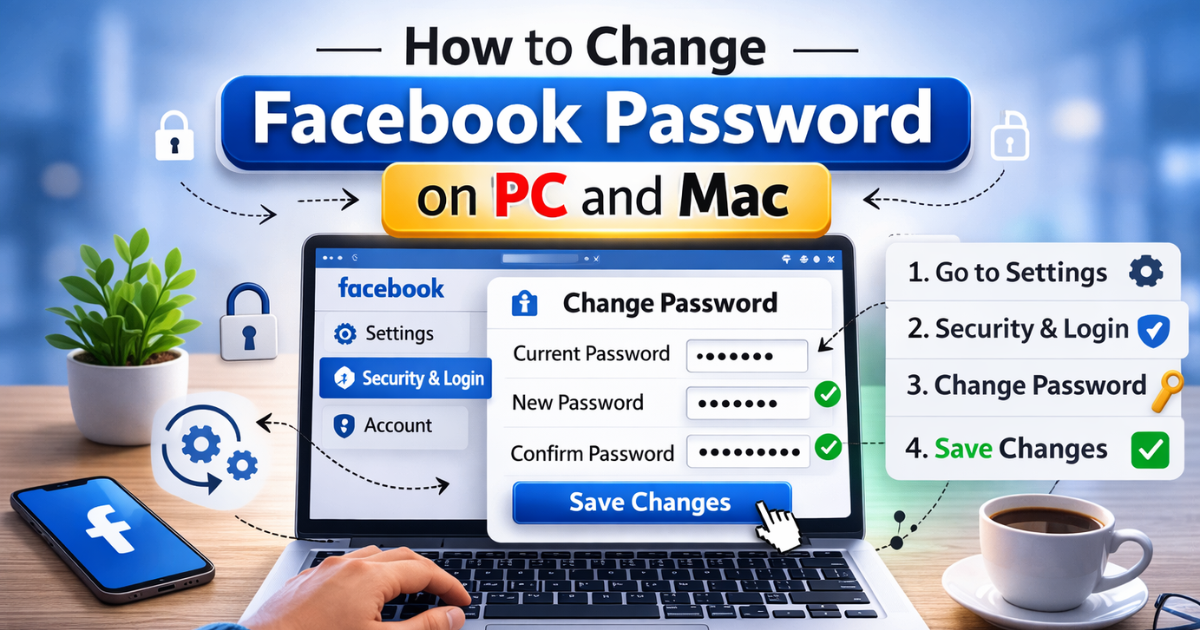
How to Change Facebook Password on PC and Mac
You can also change your password using a desktop:
-
Click the small arrow in the top-right corner.
-
Select Settings & Privacy, then Settings.
-
Click Security and Login from the left panel.
-
Click Change Password.
-
Enter your current password.
-
Enter your new password and confirm it.
-
Click Save Changes.
Your new password will apply immediately.
Conclusion
People stay in groups where they feel valued and respected. When members feel important, they participate more and build stronger relationships.
Admins should create a welcoming and active environment. Ask meaningful questions during the welcome process. Learn about members’ goals and interests. This helps you provide better content and meet their needs.
Group Experts and admins can work together to maintain quality discussions. With the right management, Facebook Groups can become powerful communities.
FAQ
How do I change my password on Facebook?
Go to Settings → Security and Login → Change Password.
How do I reset my Facebook password?
Click “Forgot Password?” on the login page and follow the instructions.
How to reset Facebook password without the old password?
Use the “Forgot Password?” option and verify your identity through email or phone.
How to recover a Facebook password without a confirmation reset code?
You must access the linked email or phone number. Without verification, Facebook will not reset the password.