

A Magellan GPS can occasionally experience issues such as freezing, delayed responses, software glitches, or problems during map updates. When your device is not functioning properly, restarting or resetting it can often restore normal operation.
In this guide, we explain how to Reset A Magellan GPS safely and quickly. The reset process is simple and can help resolve minor operating problems without necessarily removing your saved maps or other stored information.
What Happens When You Reset a Magellan GPS?
A standard reset generally restarts the GPS device and refreshes its operating system. In many cases, this process does not remove stored maps or other saved content.
Before performing a reset, make sure your Magellan GPS is sufficiently charged or connected to a power source. The exact procedure may vary depending on your Magellan model, so checking the device manual is recommended when available.
Basic Steps to Reset a Magellan GPS
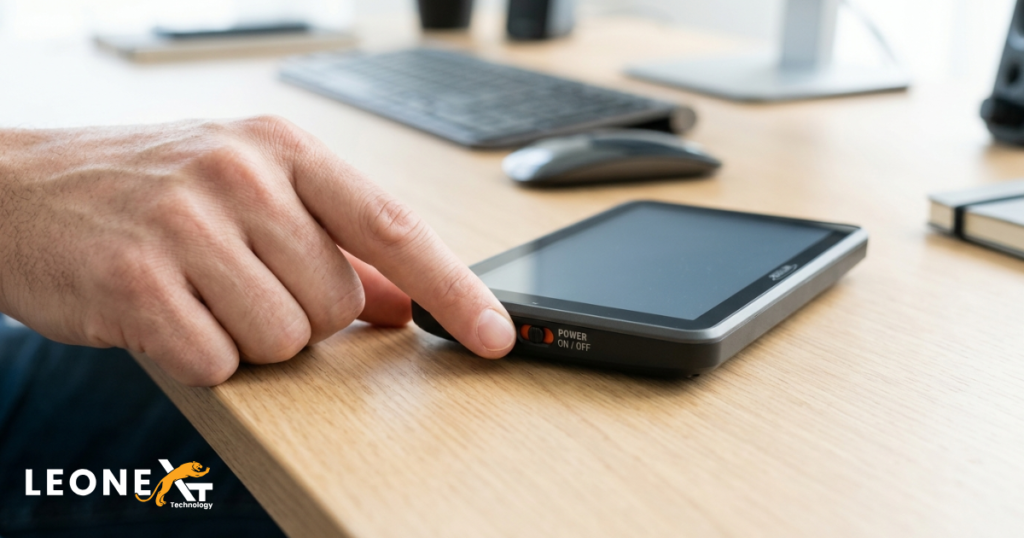
1. Turn the Power Switch Off
If your Magellan GPS uses a sliding power switch, move the switch to the Off position. Hold it there for approximately eight seconds or longer, depending on the model.
Release the switch and allow the device to restart. This can help resolve temporary software or responsiveness issues.
2. Locate the Reset Button or Reset Hole
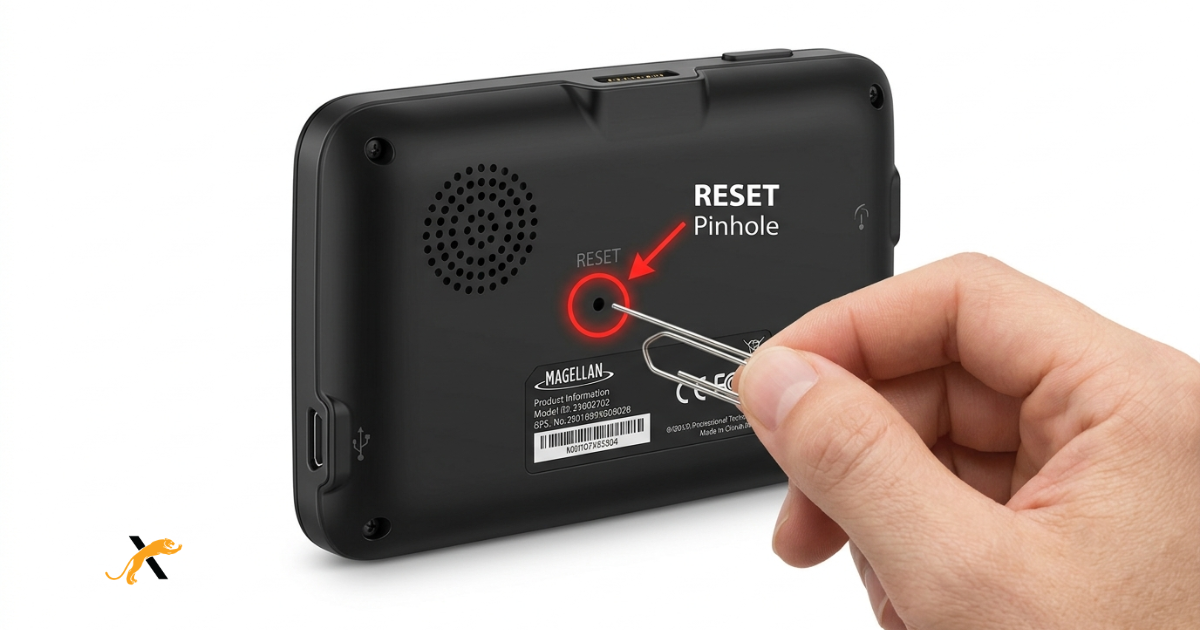
If your GPS has a push-style power button, look for a small Reset hole. It is commonly located on the back or side of the device.
The location can differ between models, so inspect the device carefully before proceeding.
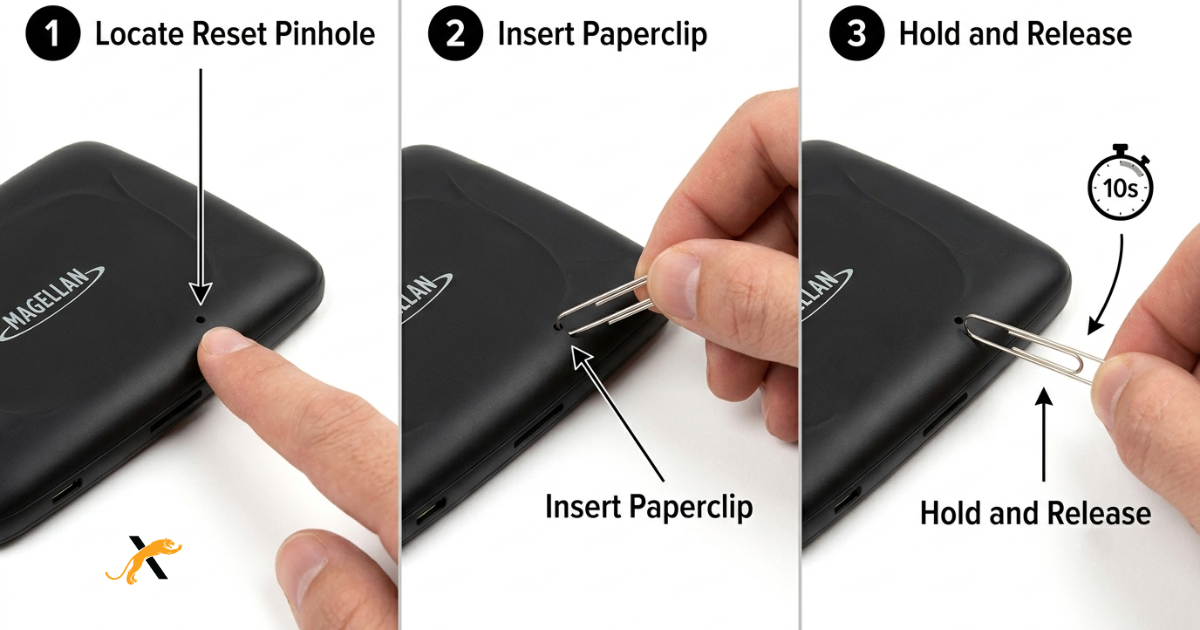
3. Press the Reset Button
Use a paperclip, pin, or another suitable pointed object to gently press the reset button inside the reset hole.
Hold the button for around 10 seconds, then remove the object. The device should restart automatically.
This is one of the commonly used methods to Reset A Magellan GPS when the unit becomes unresponsive or experiences temporary software problems.
Resetting a Magellan GPS With a Three-Position Switch
Some Magellan GPS models feature a three-position power switch with settings such as Reset, Off, and On.
For these devices, move the switch to the Reset position. Hold it there briefly and then return it to the normal operating position.
The GPS should restart automatically.
Important Tips Before You Reset Your GPS
Reset procedures can differ between Magellan GPS models. Keep these points in mind:
- Check your specific model’s user manual for the correct reset method.
- Do not force the reset button or insert an object too deeply into the reset hole.
- Keep the GPS connected to power when necessary.
- A basic reset should generally be attempted before considering more advanced troubleshooting.
- A factory reset is different from a standard restart and may remove personal settings or stored information.
If your GPS continues freezing, failing to respond, or experiencing map-update issues after a restart, additional troubleshooting may be required.
Final Thoughts
A basic reset is a useful troubleshooting step when your Magellan GPS is slow, frozen, or behaving unexpectedly. Depending on your model, you may need to use the power switch, a dedicated reset button, or a three-position switch.
By following the correct procedure, you can Reset A Magellan GPS and attempt to restore normal device operation without immediately resorting to more complicated solutions.
Always refer to the documentation supplied with your specific GPS model before performing a reset, especially if you are unsure whether the procedure will affect your saved settings or data.
For additional GPS troubleshooting information and navigation-related guides, visit Leonext.